Best 24-Inch Monitors in 2026
Five budget-friendly 24-inch monitors compared for home offices, students and everyday work, with advice on resolution, refresh rate, stands and eye comfort.
- 5 picks
- 5 min read
- Updated Nov 20, 2026
As an Amazon Associate I earn from qualifying purchases. If you buy through a link here we may earn a commission, at no extra cost to you. Details
The 24-inch monitor is the workhorse of home offices, dorm rooms and company desks. It's big enough to work comfortably on a full-size document or two narrow windows, small enough to fit on almost any desk, and budget-friendly enough to buy a pair. At this size, Full HD (1920 x 1080) still looks reasonably sharp at a normal viewing distance, which keeps prices low.
Recent models have quietly improved. 100Hz refresh rates are now common even on entry-level screens, IPS panels with wide viewing angles have become the norm, and flicker-free backlights and low-blue-light modes are standard. The real differences now are stands, ports and speakers. We compared popular 24-inch monitors from Dell, HP, ASUS and LG for everyday office and home use, not gaming, and picked the best options for different needs.
The lineup
 Best overall Dell 24 Plus Monitor (S2425H)
Home offices that want a clean, all-in-one screen
9.0 Buy Now on Amazon
 Best for all-day office use Dell 24 Monitor (P2425H)
Long workdays and shared office desks
8.8 Buy Now on Amazon
 Best value ASUS VA24EHF 24-Inch Eye Care Monitor
Students and tight budgets
8.6 Buy Now on Amazon
 Best for color on a budget HP Series 5 24-Inch FHD Monitor (524sf)
Everyday work, photos and streaming on a budget
8.4 Buy Now on Amazon
 Also great LG 24MR400-B 24-Inch IPS Monitor
Simple desk setups and second screens
8.2 Buy Now on Amazon
AI picture
- Screen size23.8 inches
- Resolution1920 x 1080
- Refresh rate100Hz
- PanelIPS
- SpeakersBuilt-in dual speakers
#1Best overall9.0/10
Dell 24 Plus Monitor (S2425H)
Dell · Model S2425H
A 24-inch Full HD IPS monitor with a 100Hz refresh rate, built-in speakers and a clean modern design.
Good for: Home offices that want a clean, all-in-one screen
- Smooth 100Hz IPS panel
- Built-in speakers save desk space for calls and casual listening
- ComfortView Plus low-blue-light backlight
- Clean, modern styling for a home desk
- Tilt-only stand on this version
- No USB-C or USB hub
- Full HD is less sharp than QHD for small text
The Dell S2425H is a well-rounded 24-inch screen for a home office. Its Full HD IPS panel runs at 100Hz for smoother scrolling and has wide viewing angles, and Dell's ComfortView Plus backlight reduces blue light without the yellow tint of a software filter.
The built-in speakers are the standout feature at this price. User feedback often says they sound better than expected from a monitor, which helps on video calls and for casual listening without cluttering the desk with separate speakers.
The trade-offs are the basics: the standard stand only tilts, and there is no USB-C connection or USB hub. If you need height adjustment, Dell sells a closely related S2425HS with an adjustable stand, or you can use a monitor arm.
The short version: The best all-round 24-inch monitor for a home office, with a smooth panel and better-than-usual speakers.
AI picture- Screen size23.8 inches
- Resolution1920 x 1080
- Refresh rateUp to 100Hz
- InputsHDMI, DisplayPort, VGA
- StandHeight, tilt, swivel and pivot
#2Best for all-day office use8.8/10
Dell 24 Monitor (P2425H)
Dell · Model P2425H
A business-line 24-inch Full HD IPS monitor with a fully adjustable stand and HDMI, DisplayPort and VGA inputs.
Good for: Long workdays and shared office desks
- Fully adjustable stand for proper ergonomics
- HDMI, DisplayPort and VGA cover new and old computers
- IPS panel with ComfortView Plus
- Business-line build, ideal for multi-monitor setups
- No built-in speakers
- Plainer design than consumer models
- No USB-C video input on this model
Dell's P-series monitors are the ones you find in well-run offices, and the P2425H shows why. Its stand adjusts for height, tilt and swivel and pivots into portrait mode, so you can put the screen exactly at eye level, which matters more over an eight-hour day than any picture setting.
The Full HD IPS panel suits office work, and it supports up to 100Hz for smoother scrolling. Inputs include HDMI, DisplayPort and VGA, so it works with newer laptops and docks as well as older desktops. Matching bezels make it an easy choice for a two-monitor setup.
There are no speakers, the styling is plain, and this model has no USB-C video input. If you want one-cable laptop docking, look at Dell's USB-C hub versions instead.
The short version: The best 24-inch choice if ergonomics and connectivity matter more than looks.
AI picture- Screen size23.8 inches
- Resolution1920 x 1080
- Refresh rate100Hz
- InputsHDMI
- MountingVESA compatible
#3Best value8.6/10
ASUS VA24EHF 24-Inch Eye Care Monitor
ASUS · Model VA24EHF
A budget-friendly 24-inch Full HD IPS monitor with a 100Hz refresh rate, Adaptive-Sync and VESA mounting.
Good for: Students and tight budgets
- Very budget-friendly for a 100Hz IPS screen
- Flicker-free and low-blue-light certification
- VESA mount holes for using a monitor arm
- Slim bezels suit dual-monitor setups
- HDMI is the only video input
- Tilt-only stand
- Brightness is modest for a sunny room
The ASUS VA24EHF strips a 24-inch monitor down to what most people actually need, at a very budget-friendly price. You get a Full HD IPS panel with wide viewing angles, a 100Hz refresh rate with Adaptive-Sync for smooth motion, and TÜV-certified flicker-free and low-blue-light modes.
It is also VESA-mountable, which matters at this price: if the basic tilt-only stand isn't tall enough, you can put the monitor on an arm instead. The slim bezels make a pair of them look tidy side by side.
Corners are cut in the expected places. HDMI is the only video input, so older PCs with only VGA or DisplayPort need an adapter, and typical brightness is modest. For a student desk or a secondary screen, those are easy compromises.
The short version: The best budget-friendly 24-inch monitor for smooth, simple everyday use.
AI picture- Screen size23.8 inches
- Resolution1920 x 1080
- Refresh rate100Hz
- InputsHDMI, VGA
- Brightness300 nits
#4Best for color on a budget8.4/10
HP Series 5 24-Inch FHD Monitor (524sf)
HP · Model 524sf
A 24-inch Full HD IPS monitor with a 100Hz refresh rate, 99% sRGB color and HDMI and VGA inputs.
Good for: Everyday work, photos and streaming on a budget
- 99% sRGB coverage for accurate everyday color
- Brighter than many budget monitors at 300 nits
- VGA input for older computers
- Eyesafe-certified low-blue-light mode
- Tilt-only stand
- No DisplayPort or USB-C
- Check VESA mounting support before planning an arm
HP's Series 5 524sf is a sensible budget monitor with a couple of extras that set it apart. It covers 99% of the sRGB color space, so photos and web content look accurate, and its rated 300 nits of brightness is a little higher than many entry-level screens, which helps in bright rooms.
The 23.8-inch Full HD IPS panel runs at 100Hz, and HP's Eye Ease low-blue-light mode carries Eyesafe certification. Inputs are HDMI and VGA, a useful pairing if you have an older desktop or a work laptop with VGA.
The stand only tilts, and there's no DisplayPort or USB-C. If you plan to use a monitor arm, check the listing for VESA support, since HP's budget models vary.
The short version: A good budget-friendly pick if accurate color and a bit of extra brightness matter to you.
AI picture- Screen size23.8 inches
- Resolution1920 x 1080
- Refresh rate100Hz
- PanelIPS
- Adaptive syncAMD FreeSync
#5Also great8.2/10
LG 24MR400-B 24-Inch IPS Monitor
LG · Model 24MR400-B
A budget-friendly 24-inch Full HD IPS monitor with a 100Hz refresh rate, AMD FreeSync and thin bezels.
Good for: Simple desk setups and second screens
- Budget-friendly 100Hz IPS screen
- Thin bezels on three sides
- FreeSync for smooth motion with compatible graphics
- Low-blue-light and flicker-reducing modes
- Tilt-only stand
- No built-in speakers
- No USB-C
The LG 24MR400-B is another solid budget 24-inch screen. Its Full HD IPS panel runs at 100Hz, with AMD FreeSync to smooth out motion when paired with compatible graphics, and thin bezels on three sides help it look neat on a small desk or beside a second monitor.
LG includes the usual eye-comfort modes, with low-blue-light and flicker-reducing settings, and a minimal stand that keeps the footprint small. Its Full HD resolution is easy for older laptops and budget desktops to drive, and the IPS panel keeps colors consistent if you view it from an angle, for example when the monitor sits beside a laptop.
As with most monitors in this class, the stand only tilts, there are no speakers and there's no USB-C. Think of it as a dependable alternative to our other budget picks, worth choosing when its price is the most competitive on the day you shop or when you want to match an existing LG screen.
The short version: A dependable budget-friendly 24-inch IPS monitor for simple setups and second screens.
Compare at a glance
| Pick | Screen size | Resolution | Refresh rate | Panel | Score |
|---|---|---|---|---|---|
| #1 Dell 24 Plus Monitor (S2425H) | 23.8 inches | 1920 x 1080 | 100Hz | IPS | 9.0 |
| #2 Dell 24 Monitor (P2425H) | 23.8 inches | 1920 x 1080 | Up to 100Hz | — | 8.8 |
| #3 ASUS VA24EHF 24-Inch Eye Care Monitor | 23.8 inches | 1920 x 1080 | 100Hz | — | 8.6 |
| #4 HP Series 5 24-Inch FHD Monitor (524sf) | 23.8 inches | 1920 x 1080 | 100Hz | — | 8.4 |
| #5 LG 24MR400-B 24-Inch IPS Monitor | 23.8 inches | 1920 x 1080 | 100Hz | IPS | 8.2 |
Specs come from manufacturer listings when we wrote this guide and can change between production runs.
Buying tips
Full HD or higher resolution?
At 24 inches (usually 23.8 inches of actual screen), 1920 x 1080 works out to about 92 pixels per inch. That's fine for office work at arm's length, though text is not as crisp as on a modern laptop. 1920 x 1200 (16:10) models add a little extra height for documents and spreadsheets. 2560 x 1440 24-inch screens are sharper but less common outside gaming lines, and you'll usually want Windows scaling at 125% for comfortable text.
Refresh rate: 100Hz is the new normal
Older office monitors ran at 60Hz. Many current budget models run at 100Hz, which makes scrolling, dragging windows and moving the cursor feel smoother. You don't need a 144Hz-plus gaming monitor for office work, but there's no reason to settle for 60Hz when 100Hz costs little or nothing extra. Set the refresh rate in your computer's display settings, since it doesn't always switch automatically.
Stands and mounting
Budget monitors usually include a tilt-only stand. If you'll use the monitor for many hours a day, a height-adjustable stand, or a monitor you can put on an arm, makes it much easier to set the screen at eye level. Look for VESA mounting holes (usually 100 x 100 mm) before you buy if you plan to use an arm, because not every budget model has them.
Ports
Most budget monitors have HDMI; some add DisplayPort or VGA for older computers. If your laptop only has USB-C, use a USB-C to HDMI cable or adapter, or consider a USB-C monitor that also charges the laptop. A built-in USB hub is rare at this level but handy for a keyboard and mouse.
Eye comfort, speakers and extras
Flicker-free backlights and low-blue-light modes are standard. Some people find they make long sessions feel more comfortable, but they're no substitute for good habits: set brightness to match the room, sit about an arm's length away, put the top of the screen at or slightly below eye level, and take regular breaks.
Built-in speakers are convenient for video calls on a small desk; they won't replace real speakers but they save space and cables. An anti-glare screen coating matters more than you might think if your desk faces a window.
Setting up two 24-inch monitors
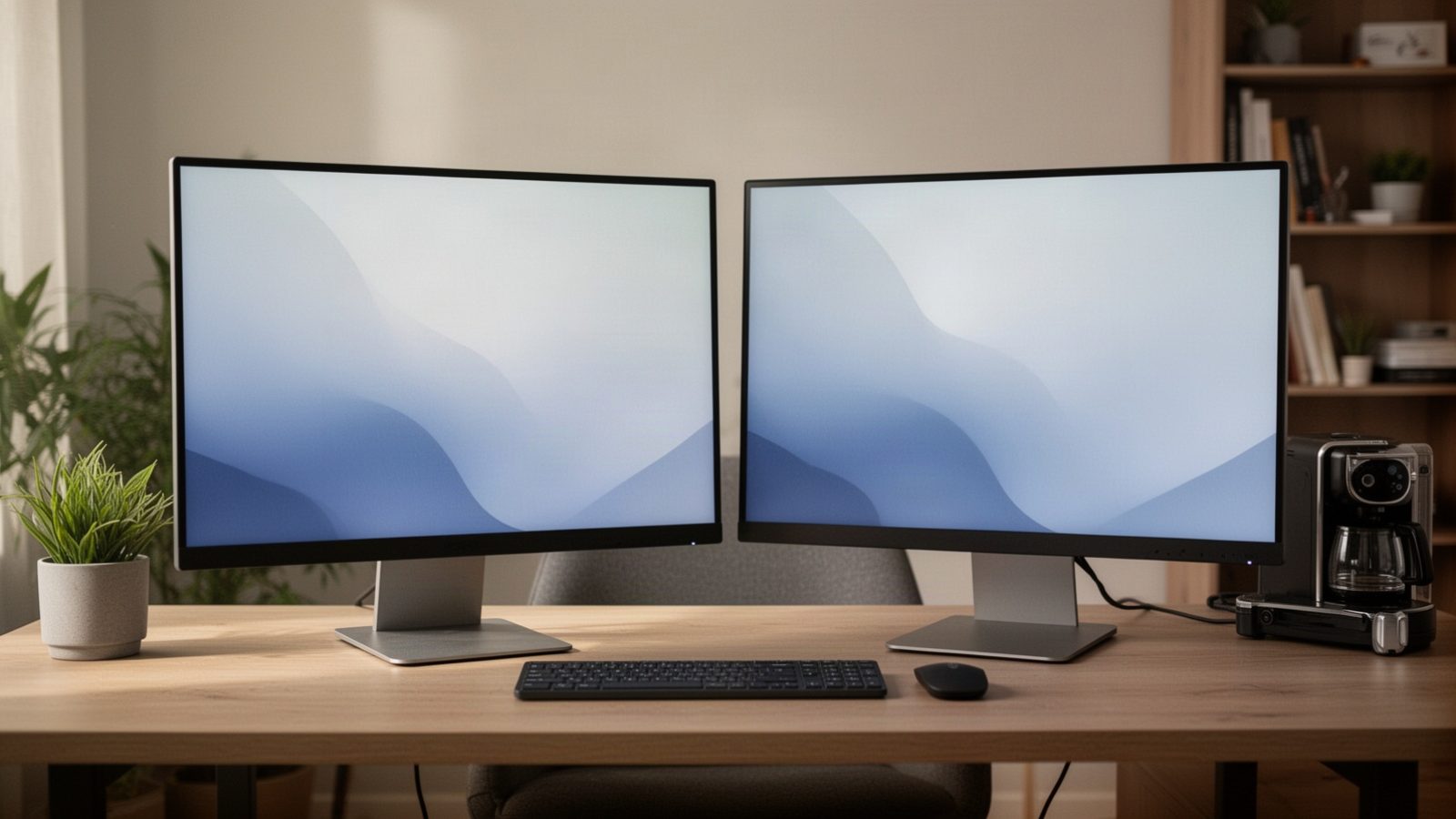
Two 24-inch screens side by side are one of the most budget-friendly ways to get a big workspace. Buy the same model so colors, height and bezels match, and choose screens with thin bezels on three sides so the gap in the middle is small. Put your main screen directly in front of you and the second one angled to the side, or center the seam if you use both equally. Check that your computer has two video outputs, or use a dock that supports two displays.
FAQ
QIs a 24-inch monitor big enough for working from home?
For most office tasks, yes. It comfortably shows a full document or two narrow windows side by side. If you regularly work with large spreadsheets or several apps at once, consider two 24-inch monitors or a 27-inch screen with a higher resolution.
QShould I buy two 24-inch monitors or one bigger one?
Two 24-inch monitors give lots of workspace for little money and let you keep apps separate, with a bezel down the middle. One 27-inch QHD or ultrawide screen looks cleaner and avoids the gap. If budget is tight, a matching pair of 24-inch monitors is hard to beat.
QCan I connect a 24-inch monitor to a laptop with only USB-C?
Yes, as long as the laptop’s USB-C port supports video output. Use a USB-C to HDMI cable or a small USB-C hub with HDMI. The laptop will still need its own charger unless you choose a USB-C monitor with power delivery.
QIs 100Hz useful for office work?
It is a nice upgrade. Scrolling, dragging windows and moving the cursor look smoother than at 60Hz, which many people find more pleasant over a long day. It is not essential, but most good budget monitors now include it at little or no extra cost.
QDo I need a height-adjustable stand?
If you use the monitor for hours each day, it helps a lot. Without one, you can raise a tilt-only monitor on a riser or books, or mount it on a monitor arm if it has VESA holes.
How we picked
We compared manufacturer specifications for popular 24-inch monitors from established brands, including resolution, refresh rate, panel type, brightness, ports, stand adjustment, VESA mounting and speakers, and weighed how each suits home offices, students and everyday work. Our picks and scores are based on this research — we have not tested these products hands-on. Brands cannot pay to be included. Read our full method.
In the same aisle
More 24-inch monitors to browse
A random pull from our product catalog, not ranked or reviewed.