Best Laptops for College Students in 2026
Six well-built laptops for classes, papers and dorm life, chosen for weight, battery life, screen quality and enough memory to last until graduation.
- 6 picks
- 6 min read
- Updated Nov 20, 2026
As an Amazon Associate I earn from qualifying purchases. If you buy through a link here we may earn a commission, at no extra cost to you. Details
A college laptop works harder than almost any computer you will own. It goes to every lecture, lives in a backpack, runs on battery through back-to-back classes and still has to handle research papers, video calls, group projects, streaming and the occasional all-nighter. It also has to last: most students want one machine that carries them through four years without feeling slow by senior year.
That narrows the field more than you might expect. We compared popular 13- to 16-inch laptops from Apple, Dell, HP, Lenovo, ASUS and Acer on weight, battery ratings, screen quality, keyboard comfort, ports, memory options and warranty terms, then picked the best fit for different majors and budgets. Before you buy, check your school's or department's laptop requirements — some engineering, architecture and film programs specify Windows, a minimum amount of memory or a dedicated graphics card.
The lineup
 Best overall Apple MacBook Air 13-inch (M-series)
Most students who don't need Windows-only software
9.4 Buy Now on Amazon
 Best screen ASUS Zenbook 14 OLED
Students who stream, edit photos or read a lot on screen
8.9 Buy Now on Amazon
 Best battery life HP OmniBook 5 14-inch
Students on a budget who want all-day battery
8.8 Buy Now on Amazon
 Best value Lenovo IdeaPad Slim 5
Students who want strong specs for a mid-range budget
8.7 Buy Now on Amazon
 Best port selection Acer Swift Go 14
Students who plug into projectors and accessories
8.5 Buy Now on Amazon
AI picture
- Screen13.6-inch Liquid Retina
- WeightAbout 2.7 lb
- ProcessorApple M-series
- Operating systemmacOS
- Ports2 Thunderbolt/USB-C, MagSafe, headphone jack
#1Best overall9.4/10
Apple MacBook Air 13-inch (M-series)
Apple
A light, silent and long-lasting laptop that comfortably handles four years of coursework.
Good for: Most students who don't need Windows-only software
- Fanless design is completely silent in quiet libraries
- Battery life is among the best in its class
- Recent models start with 16GB of memory
- Excellent keyboard, trackpad and build quality
- Holds its resale value well
- Only two USB-C ports besides MagSafe charging
- Memory and storage can't be upgraded later
- Some engineering and specialist software is Windows-only
The MacBook Air is the laptop most students should look at first. It weighs about 2.7 pounds and has no fan, so it stays completely silent in a quiet library, and its battery life is among the longest of any laptop in its class — a full day of classes without a charger is realistic. Recent models start with 16GB of memory, exactly what you want in a machine meant to last four years.
The 13.6-inch screen is sharp and bright, the keyboard and trackpad are excellent, and the aluminum body holds up well to life in a backpack. MacBooks also keep their resale value, which softens the up-front cost.
The limits are ports and flexibility: you get two USB-C ports plus MagSafe charging, and nothing can be upgraded later. If your program relies on Windows-only software, choose one of the Windows picks instead.
The short version: The best all-round college laptop for most majors, as long as your coursework doesn't require Windows.
 AI picture
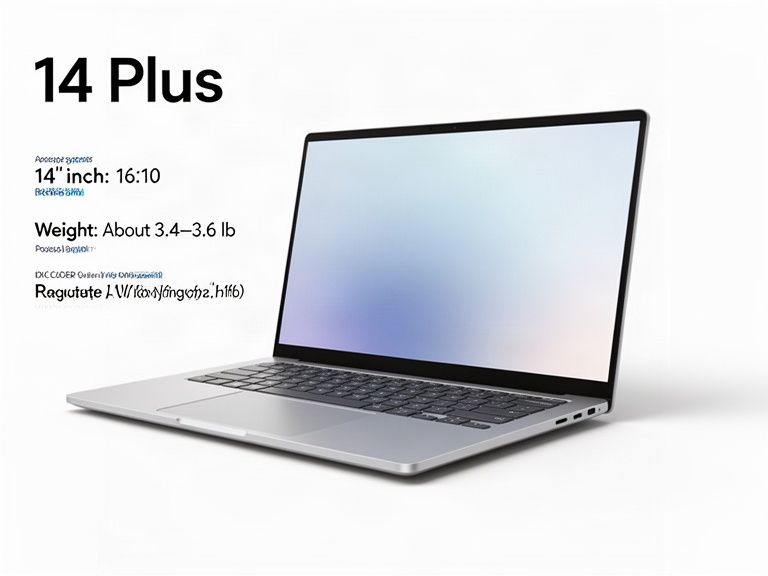
- Screen14-inch, 16:10
- WeightAbout 3.4–3.6 lb
- ProcessorIntel Core Ultra or AMD Ryzen AI (configurable)
- Operating systemWindows 11
#2Best Windows laptop9.0/10
Dell 14 Plus
Dell
A well-rounded 14-inch Windows laptop with a 16:10 screen, long battery ratings and a choice of Intel or AMD processors.
Good for: Students who need or prefer Windows
- Clean, sturdy design that suits class and internships
- Taller 16:10 screen, with sharper panels on upper configurations
- Generous battery ratings on current Intel and AMD versions
- Comfortable keyboard for long papers
- Heavier than the MacBook Air and Zenbook 14
- Modest port selection
- Base screens are less vivid than OLED rivals
The Dell 14 Plus is the successor to the long-running Inspiron 14 Plus, renamed when Dell simplified its laptop lineup in 2025, and it is a sensible, well-balanced Windows laptop for students. The 14-inch, 16:10 screen gives you more vertical room for documents than older widescreen laptops, and higher configurations offer a crisp 2560 x 1600 panel.
You can choose Intel Core Ultra or AMD Ryzen AI processors, both more than fast enough for coursework, and Dell rates the battery for long days away from an outlet. The keyboard is comfortable for long writing sessions, and the understated design looks just as at home at an internship.
At roughly three and a half pounds it is heavier than the lightest laptops here, and the port selection is modest, so a small USB-C hub is worth adding if you use older accessories.
The short version: A dependable, no-drama Windows laptop that will comfortably see most students through a degree.
AI picture- Screen14-inch OLED
- WeightAbout 2.8 lb
- ProcessorIntel Core Ultra or AMD Ryzen AI (configurable)
- BatteryAbout 75Wh
#3Best screen8.9/10
ASUS Zenbook 14 OLED
ASUS
A light 14-inch laptop with a vivid OLED screen and a large battery, available with Intel or AMD processors.
Good for: Students who stream, edit photos or read a lot on screen
- Rich, high-contrast OLED display
- Large battery for such a slim laptop
- Keeps USB-A and HDMI alongside USB-C
- Slim, light all-metal body
- Glossy screen reflects bright overhead lights
- Memory can't be upgraded after purchase
- OLED panels can show burn-in from static content over years of heavy use
ASUS fits a lot of laptop into the Zenbook 14 OLED's roughly 2.8 pounds. The OLED screen is the headline: deep blacks and rich color make it great for streaming, photo assignments and late-night reading, and it looks noticeably more vivid than the standard IPS panels on most mid-priced laptops.
ASUS also squeezes a large battery, around 75Wh, into the slim aluminum body, which helps it get through long days on campus. Unlike many thin laptops it keeps a USB-A port and HDMI alongside USB-C, so you can plug in a flash drive or a classroom projector without a dongle.
The screen is glossy, which makes it harder to read under bright lights, and the memory is soldered — choose a configuration with at least 16GB.
The short version: The pick for students who want a beautiful screen in a light, practical package.
AI picture- Screen14-inch OLED
- WeightAbout 2.9 lb
- ProcessorSnapdragon X, Intel or AMD (configurable)
- Operating systemWindows 11
#4Best battery life8.8/10
HP OmniBook 5 14-inch
HP
A light, mid-priced 14-inch laptop with an OLED screen and excellent battery life, especially in its Snapdragon versions.
Good for: Students on a budget who want all-day battery
- OLED screen at a mid-range price
- Excellent battery life, especially on Snapdragon models
- Light enough to carry all day
- Choice of Snapdragon, Intel or AMD versions
- Some configurations ship with only 8GB of memory
- Weak graphics for games or 3D work
- Snapdragon versions run Windows on Arm, so check specialist software
HP's OmniBook 5 makes a lot of sense on a student budget: a 14-inch OLED screen, a weight of about 2.9 pounds and battery life that reviewers consistently praise. It belongs to HP's OmniBook family, which took over from the older Pavilion and Envy laptop names.
The Snapdragon X versions are the battery champions. They run Windows on Arm, which handles browsers, Microsoft 365, Zoom and most mainstream apps natively, but some specialist engineering tools, older games and anti-cheat software may not run, so check your course list first. The Intel and AMD versions avoid that question entirely.
Pay close attention to memory when choosing a configuration. Some versions come with 8GB, which is tight for a four-year laptop; a 16GB model is the one to get.
The short version: A great-value OLED laptop with standout battery life — pick a 16GB configuration.
AI picture- Screen14-inch or 16-inch, OLED options
- WeightAbout 3 lb (14-inch)
- ProcessorIntel Core or AMD Ryzen (configurable)
- Operating systemWindows 11
#5Best value8.7/10
Lenovo IdeaPad Slim 5
Lenovo
A mid-priced Lenovo laptop that offers a lot for the money, in 14- or 16-inch sizes with OLED screen options.
Good for: Students who want strong specs for a mid-range budget
- Strong specs for a mid-priced laptop
- Choice of 14- or 16-inch sizes
- OLED screens available on many versions
- Comfortable keyboard and a practical port mix
- Versions vary widely, so read the spec sheet carefully
- Battery capacity differs between configurations
- The 16-inch model is noticeably heavier to carry
Lenovo's IdeaPad Slim 5 is where many students will find the best balance of price and specs. It is commonly sold with 16GB of memory, a roomy SSD and a 16:10 screen for less than premium thin-and-light laptops, and many versions offer an OLED panel.
The 14-inch model weighs around three pounds, easy enough to carry every day, while the 16-inch version suits students who mostly work at a desk and want room for spreadsheets or code side by side. Both use current Intel Core or AMD Ryzen processors that are plenty for coursework.
The catch is variety. Lenovo sells many versions under the same name with different processors, batteries and screens, so compare the exact processor, battery capacity and display in the listing rather than relying on the name alone.
The short version: The best balance of price and specs for students who read the spec sheet before buying.
AI picture- Screen14-inch, IPS or OLED
- WeightAbout 2.9 lb
- ProcessorIntel Core Ultra
- PortsUSB-C, USB-A and HDMI (varies by version)
#6Best port selection8.5/10
Acer Swift Go 14
Acer
A thin 14-inch laptop with OLED options and a more generous mix of ports than most rivals.
Good for: Students who plug into projectors and accessories
- Light for a laptop with this many ports
- OLED screen options
- Current Intel Core Ultra processors
- No dongles needed for most classroom projectors and drives
- Battery life varies widely with processor and screen choice
- Older and newer generations are often listed side by side
- OLED versions have glossy screens
Acer's Swift Go 14 is a strong alternative if you want more ports without carrying a hub. Most versions pair USB-C with USB-A and HDMI, so plugging into a classroom projector, an external drive or a wired mouse is straightforward.
It weighs about 2.9 pounds in its recent versions, runs Intel Core Ultra processors and comes with either an IPS touchscreen or an OLED panel. That makes it a capable machine for writing, research, presentations and light photo work.
Acer refreshes the Swift Go often, and older and newer generations are frequently listed next to each other. Check the processor model, memory and screen type in the listing so you get a current version with at least 16GB of memory.
The short version: A practical, well-connected Windows alternative for students who hate dongles.
Compare at a glance
| Pick | Screen | Weight | Processor | Operating system | Score |
|---|---|---|---|---|---|
| #1 Apple MacBook Air 13-inch (M-series) | 13.6-inch Liquid Retina | About 2.7 lb | Apple M-series | macOS | 9.4 |
| #2 Dell 14 Plus | 14-inch, 16:10 | About 3.4–3.6 lb | Intel Core Ultra or AMD Ryzen AI (configurable) | Windows 11 | 9.0 |
| #3 ASUS Zenbook 14 OLED | 14-inch OLED | About 2.8 lb | Intel Core Ultra or AMD Ryzen AI (configurable) | — | 8.9 |
| #4 HP OmniBook 5 14-inch | 14-inch OLED | About 2.9 lb | Snapdragon X, Intel or AMD (configurable) | Windows 11 | 8.8 |
| #5 Lenovo IdeaPad Slim 5 | 14-inch or 16-inch, OLED options | About 3 lb (14-inch) | Intel Core or AMD Ryzen (configurable) | Windows 11 | 8.7 |
| #6 Acer Swift Go 14 | 14-inch, IPS or OLED | About 2.9 lb | Intel Core Ultra | — | 8.5 |
Specs come from manufacturer listings when we wrote this guide and can change between production runs.
Buying tips
Mac, Windows or Chromebook?
MacBooks are the easiest recommendation for most majors: long battery life, excellent build quality and a smooth experience for writing, research and creative work. Windows laptops offer far more choice in size, price and ports, and they are the safe pick if your program uses Windows-only software, which is common in engineering, some business courses and CAD-heavy majors. Chromebooks are light and simple, but they run web and Android apps rather than full desktop programs, so check your course requirements before going that route.
Size and weight
A laptop you carry to every class should weigh roughly three pounds or less, which usually means a 13- or 14-inch screen. Fifteen- and 16-inch models give you more room for spreadsheets and side-by-side windows, but they add half a pound or more and crowd a small lecture-hall desk. If you want a big screen, a 13- or 14-inch laptop plus an inexpensive monitor in your dorm room gives you the best of both.
Specs that will still be enough in year four
- Memory: 16GB is the sensible minimum for a four-year laptop. 8GB works today but fills quickly with dozens of browser tabs, a video call and a document open at once.
- Storage: 512GB leaves room for software, photos and offline files. 256GB is workable if you keep most things in cloud storage.
- Processor: Any current mid-range chip — Apple M-series, Intel Core Ultra, AMD Ryzen AI or Snapdragon X — is plenty for coursework. Spend on memory before you spend on a faster chip.
- Screen: Look for at least 1920 x 1200 resolution. OLED screens look superb but are usually glossy; matte screens are easier to read under bright lights.
On most thin laptops, memory is soldered to the board and cannot be added later, so buy what you need up front.
Battery life and ports
Manufacturer battery claims are measured under light, ideal conditions, so expect real-world runtimes to be noticeably shorter. Aim for a laptop rated well beyond a full day so you aren't hunting for outlets in lecture halls. Count your ports, too: if you use a USB-A flash drive, a mouse receiver or a classroom projector, either pick a laptop with USB-A and HDMI or add a small USB-C hub to your bag.
Protecting a laptop you carry every day
A padded sleeve or a backpack with a laptop compartment prevents most cracked screens. Keep drinks away from the keyboard, and consider the manufacturer's accidental-damage plan — standard warranties don't cover drops and spills. Turn on Find My on a Mac or Find my device on Windows, and back up coursework to cloud storage so a lost or broken laptop doesn't cost you a semester's work.
FAQ
QIs 8GB of RAM enough for college?
For writing papers and browsing it works, but 16GB gives far more headroom for multitasking and makes the laptop much more likely to feel quick in your final year. Because memory is soldered on most thin laptops, it is worth choosing 16GB at purchase.
QShould I get a Mac or a Windows laptop for college?
Both handle typical coursework well. Choose Windows if your program requires Windows-only software, which is common in engineering and some business courses, and a Mac if you value battery life, build quality and the Apple ecosystem. When in doubt, check your department's laptop requirements page.
QDo college students need a dedicated graphics card?
Most don't. Integrated graphics in current chips handle streaming, photo editing and light video work. Engineering, architecture, game design and film students who run 3D or heavy video software may need an NVIDIA GeForce RTX laptop, or can rely on campus computer labs.
QIs a Chromebook enough for college?
It can be if your classes run on Google Docs, web-based Microsoft 365 and your school's learning portal. Chromebooks cannot run full desktop programs such as SolidWorks or Adobe Premiere Pro, so check your course requirements first.
QHow long should a college laptop last?
A well-chosen mid-range laptop should comfortably last four years. Enough memory, enough storage and a sturdy build matter more for longevity than the fastest processor. Batteries slowly lose capacity, so expect somewhat shorter runtimes by senior year.
How we picked
We compared manufacturer specifications for popular 13- to 16-inch laptops from Apple, Dell, HP, Lenovo, ASUS and Acer — weight, battery ratings, display type and resolution, memory and storage options, ports and warranty coverage — alongside published professional reviews, and weighed how each one suits a typical four-year degree. Our picks and scores are based on this research — we have not tested these products hands-on. Brands cannot pay to be included. Read our full method.
In the same aisle
More laptops for college students to browse
A random pull from our product catalog, not ranked or reviewed.