Best PC Game Controllers in 2026
Six controllers for PC gaming compared — the Xbox pad that Windows supports out of the box, a pro controller with paddles, the DualSense, and budget wired and wireless picks.
- 6 picks
- 6 min read
- Updated Nov 20, 2026
As an Amazon Associate I earn from qualifying purchases. If you buy through a link here we may earn a commission, at no extra cost to you. Details
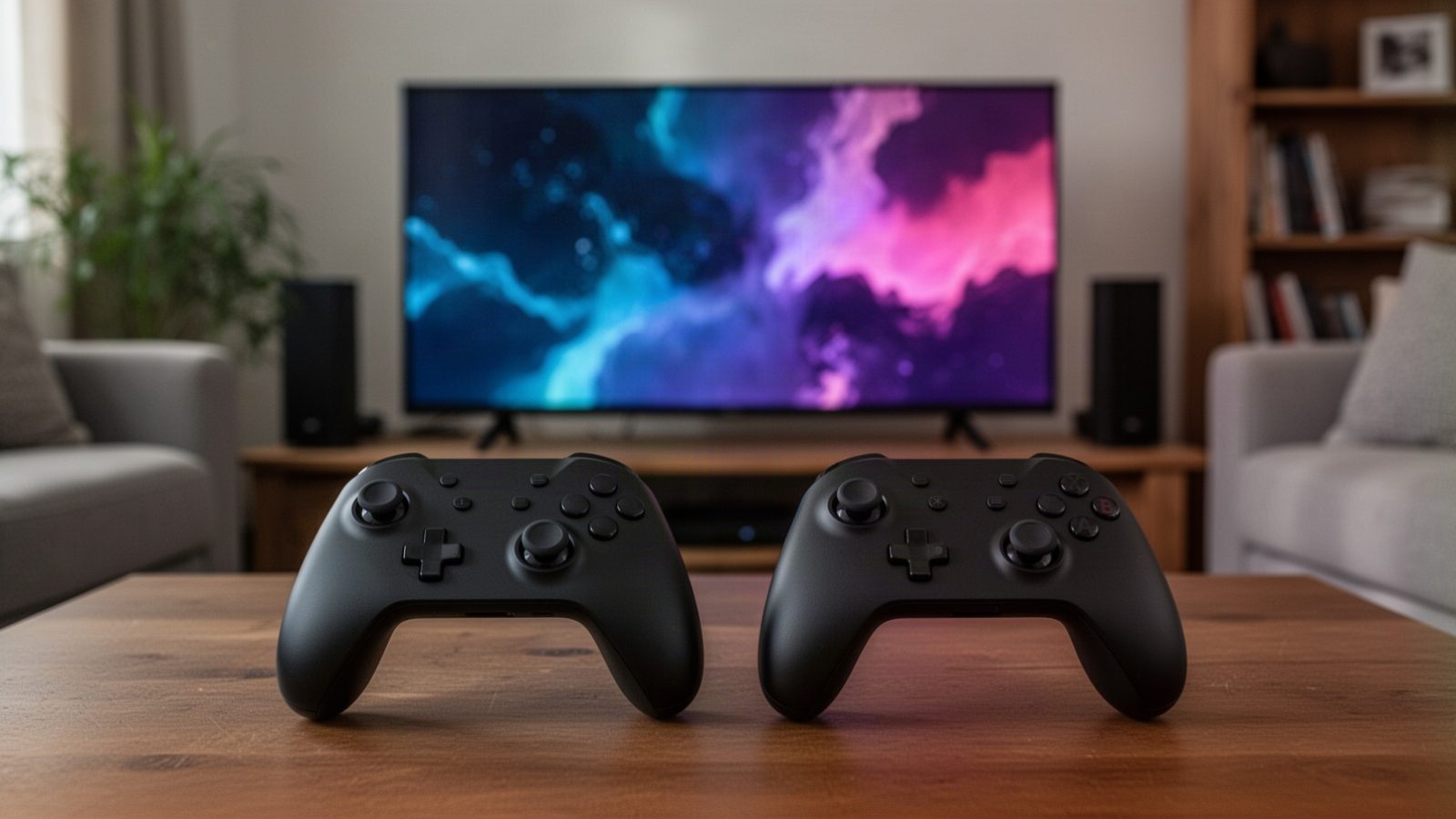
Plenty of PC games play better with a controller than with a mouse and keyboard: racing, sports, platformers, fighting games and big third-person adventures all feel more natural on a gamepad. The good news is that almost any modern controller can work on a PC. The catch is that some work with no effort at all, while others depend on Steam or extra software to behave properly.
The key detail is input support. Windows and most PC games are built around the Xbox controller standard (called XInput), so Xbox-style pads usually just work, with the correct button prompts on screen. PlayStation controllers and some third-party pads work too, but often through Steam Input or with features limited to certain games. We compared popular, widely available controllers on PC compatibility, connection options, power, layout and extras like back buttons, and picked the best fit for different players and budgets.
The lineup
 Best premium Xbox Elite Wireless Controller Series 2
Shooter and competitive players who want paddles
9.0 Buy Now on Amazon
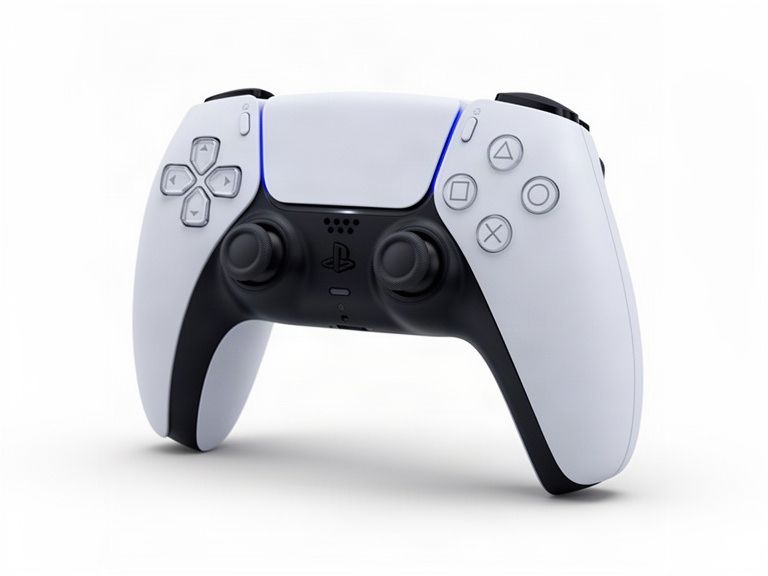 Best for haptics Sony DualSense Wireless Controller
PlayStation fans and games with DualSense support
8.7 Buy Now on Amazon
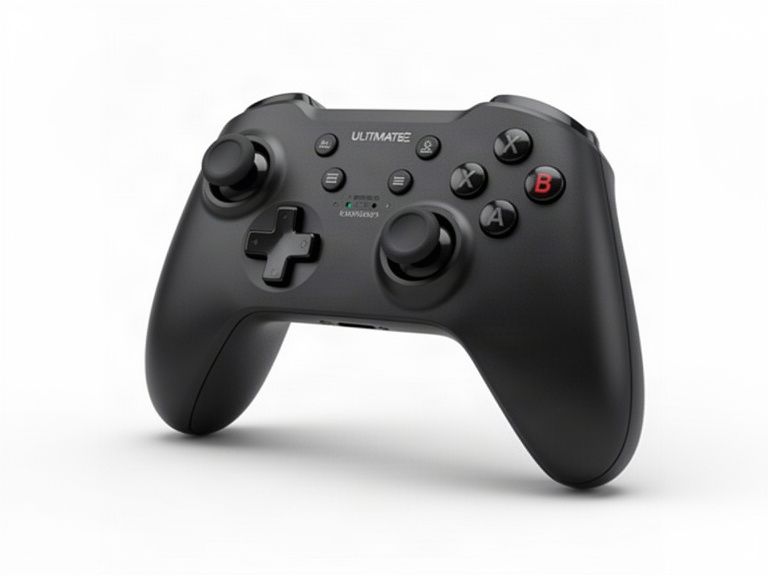 Best budget wireless 8BitDo Ultimate 2C Wireless Controller
Budget buyers who want drift-resistant sticks
8.5 Buy Now on Amazon
 Best wired PowerA Enhanced Wired Controller for Xbox
Desk players who never want to charge
8.1 Buy Now on Amazon
 Best for older PC games Logitech F310 Wired Gamepad
Retro, emulated and older PC games
7.7 Buy Now on Amazon
 AI picture
- PC connectionUSB-C cable, Bluetooth or Xbox Wireless Adapter
- Power2 AA batteries
- Stick layoutOffset (Xbox style)
- Also works withXbox Series X|S, Xbox One
#1Best overall9.2/10
Xbox Wireless Controller
Microsoft
The controller most PC games are designed around, with native Windows support and three ways to connect.
Good for: Most PC players
- Works in nearly every PC game with correct button prompts
- Comfortable, widely copied shape
- AA batteries swap in seconds
- Also works with Xbox consoles
- No back buttons
- Batteries or a rechargeable pack are an ongoing cost
- Standard sticks can develop drift over years of use
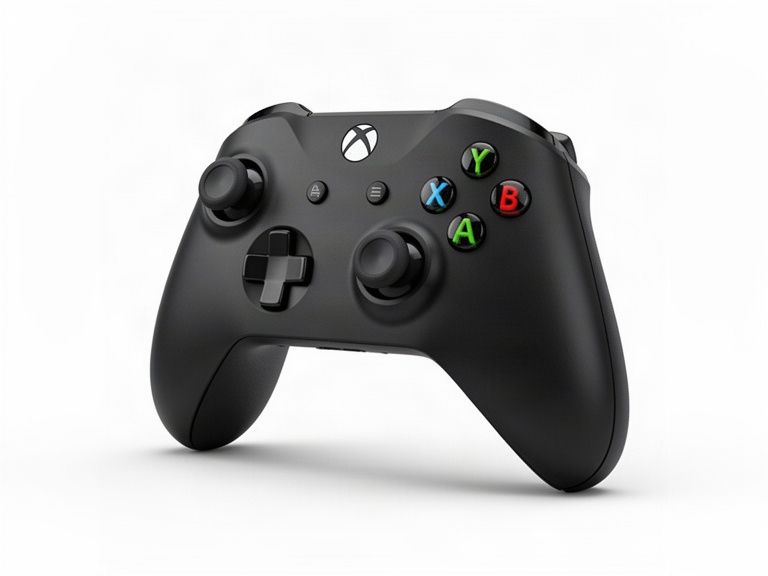
For PC gaming, the Xbox Wireless Controller is the default for good reason. Windows supports it without extra software, and most PC games are built around its layout, so prompts on screen match the buttons in your hands.
It connects three ways: a USB-C cable, Bluetooth, or Microsoft's Xbox Wireless Adapter, which many players find more stable for several controllers at once. The shape is comfortable for most hand sizes, the textured grips help in long sessions, and the Share button makes capturing clips easy on console.
Power comes from two AA batteries, which some people love because a fresh set takes seconds, and others dislike as an ongoing cost; a rechargeable pack is sold separately. There are no back buttons, and like most standard controllers the sticks can develop drift after years of heavy use.
The short version: The simplest, most compatible controller for PC gaming.
AI picture- PC connectionUSB-C cable, Bluetooth or Xbox Wireless Adapter
- PowerBuilt-in rechargeable, up to 40 hours (maker)
- Stick layoutOffset, plus 4 rear paddles
- ExtrasAdjustable stick tension, trigger locks, carrying case
#2Best premium9.0/10
Xbox Elite Wireless Controller Series 2
Microsoft
A premium Xbox controller with four rear paddles, adjustable stick tension, trigger locks and a built-in battery.
Good for: Shooter and competitive players who want paddles
- Four rear paddles keep thumbs on the sticks
- Adjustable stick tension and three-step trigger locks
- Swappable sticks and D-pads
- Long-lasting built-in battery and charging case
- Premium-priced
- Some owners report worn bumpers or sticks over time
- Heavier than the standard Xbox controller
The Elite Series 2 takes the familiar Xbox shape and adds the features competitive players want. Four rear paddles can be mapped to jump, crouch or reload so your thumbs never leave the sticks, and trigger locks shorten the pull for faster firing in shooters.
You can adjust stick tension with the included tool and swap between different stick tops and D-pad styles. The built-in battery is rated for up to 40 hours, and the controller charges in its carrying case. On PC it connects just like the standard Xbox controller, with full native support.
It is expensive, and durability has been a common complaint, with some owners reporting worn bumpers or sticks over time, so keep your receipt and check the warranty. A lower-priced Core version ships without the paddles and extra accessories, which can be added later.
The short version: The most customizable first-party controller for PC players who want paddles and trigger stops.
AI picture- PC connectionUSB-C cable or Bluetooth
- PowerBuilt-in rechargeable
- Stick layoutSymmetrical (PlayStation style)
- Also works withPS5
#3Best for haptics8.7/10
Sony DualSense Wireless Controller
Sony
PlayStation's controller, which works on PC through Steam and adds haptics and adaptive triggers in supported games.
Good for: PlayStation fans and games with DualSense support
- Detailed haptic feedback and adaptive triggers in supported games
- Comfortable, well-made shape
- Works with any Steam game through Steam Input
- Built-in touchpad and microphone
- Shorter battery life than most rivals
- Outside Steam, support depends on the game
- Advanced features often require a wired connection
The DualSense is a good PC controller if you already own one or prefer PlayStation's symmetrical stick layout. Steam Input translates it for any game in your Steam library, and a growing number of PC releases support it directly, with PlayStation button prompts.
Its standout features are the detailed haptic motors and adaptive triggers that can stiffen or vibrate. On PC, those work only in games built to support them, and usually only when the controller is connected by USB cable rather than Bluetooth.
Battery life is shorter than many rivals, so expect to charge it often during long sessions. If you mostly play outside Steam, or want a controller that just works everywhere in Windows, an Xbox controller is the less fussy choice.
The short version: A great PC controller for Steam players who prefer the PlayStation layout and want haptics in supported games.
AI picture- PC connection2.4 GHz USB receiver or USB-C cable
- PowerBuilt-in rechargeable
- Stick layoutOffset, Hall effect sticks
- ExtrasTwo extra bumpers (L4/R4)
#4Best budget wireless8.5/10
8BitDo Ultimate 2C Wireless Controller
8BitDo
A budget-friendly wireless controller with Hall effect sticks and triggers, extra bumpers and a 2.4 GHz receiver.
Good for: Budget buyers who want drift-resistant sticks
- Hall effect sticks and triggers resist drift
- Two extra mappable bumpers
- Low-lag 2.4 GHz receiver
- Budget-friendly
- Lighter, less premium feel than first-party controllers
- Fewer features than 8BitDo's pricier models
- Check the maker's compatibility list for non-PC devices
8BitDo has built a strong reputation for affordable controllers, and the Ultimate 2C brings a feature that used to be reserved for premium pads: Hall effect sticks and triggers. Because they sense position with magnets rather than wearing contacts, they are far less prone to drift over time.
It connects to a Windows PC with a small 2.4 GHz USB receiver for low-lag wireless, or by USB-C cable. Two extra bumpers on the back can be mapped to other buttons without software, which is handy in shooters and action games.
The build feels lighter and more plasticky than an Xbox or PlayStation controller, and it skips some extras found on 8BitDo's higher-end models. For a spare controller, a second player or anyone tired of drifting sticks, it is excellent value.
The short version: An inexpensive wireless controller with drift-resistant sticks and handy extra buttons.
AI picture- PC connectionWired USB
- PowerPowered by the cable
- Stick layoutOffset, plus 2 rear buttons
- Also works withXbox Series X|S, Xbox One
#5Best wired8.1/10
PowerA Enhanced Wired Controller for Xbox
PowerA
An officially licensed, budget-friendly wired Xbox controller with two mappable rear buttons.
Good for: Desk players who never want to charge
- No batteries or charging
- Two mappable rear buttons
- Works like an Xbox controller in Windows
- Budget-friendly
- Cable limits couch play
- Sticks and triggers feel less refined than first-party
- No wireless option
If your PC sits on a desk and you play within a few feet of it, a wired controller removes every hassle: no batteries, no pairing and no charging. PowerA's Enhanced Wired Controller is officially licensed for Xbox, so Windows treats it like an Xbox controller and games show the right prompts.
Its main upgrade over a basic pad is two mappable buttons on the back, which you can assign to any face button, a feature usually found on much pricier controllers. It also has a headphone jack for consoles and comes in many colors and designs.
The cable is the obvious limit for couch gaming, and the sticks and triggers feel less refined than Microsoft's own controller. As an inexpensive, always-ready desk controller, it is a sensible buy.
The short version: A budget-friendly wired Xbox-style controller with back buttons and no batteries to worry about.
AI picture- PC connectionWired USB
- PowerPowered by the cable
- Stick layoutSymmetrical (PlayStation style)
- ModesXInput and DirectInput switch
#6Best for older PC games7.7/10
Logitech F310 Wired Gamepad
Logitech · Model F310
A simple, long-running wired gamepad with a switch between XInput and DirectInput modes.
Good for: Retro, emulated and older PC games
- XInput/DirectInput switch helps with older games
- Very budget-friendly
- No batteries or pairing
- Simple and durable
- No rumble
- Basic build and sticks
- Cable is not detachable
The F310 is a basic controller with one genuinely useful trick: a switch on the back that flips between XInput, the modern standard most games expect, and DirectInput, which many older PC games and some emulators were built around. That makes it a handy pad for a retro or legacy game library.
Its layout puts the sticks side by side, PlayStation style, and it is wired, so there is nothing to charge. It has been sold for many years and is widely available as a spare or travel controller.
It is very much a budget product. There is no rumble, the sticks and triggers are basic, and the cable is fixed. For modern games, an Xbox-style controller is a better everyday choice.
The short version: An inexpensive, dependable spare pad that shines with older PC games and emulators.
Compare at a glance
| Pick | PC connection | Power | Stick layout | Also works with | Score |
|---|---|---|---|---|---|
| #1 Xbox Wireless Controller | USB-C cable, Bluetooth or Xbox Wireless Adapter | 2 AA batteries | Offset (Xbox style) | Xbox Series X|S, Xbox One | 9.2 |
| #2 Xbox Elite Wireless Controller Series 2 | USB-C cable, Bluetooth or Xbox Wireless Adapter | Built-in rechargeable, up to 40 hours (maker) | Offset, plus 4 rear paddles | — | 9.0 |
| #3 Sony DualSense Wireless Controller | USB-C cable or Bluetooth | Built-in rechargeable | Symmetrical (PlayStation style) | PS5 | 8.7 |
| #4 8BitDo Ultimate 2C Wireless Controller | 2.4 GHz USB receiver or USB-C cable | Built-in rechargeable | Offset, Hall effect sticks | — | 8.5 |
| #5 PowerA Enhanced Wired Controller for Xbox | Wired USB | Powered by the cable | Offset, plus 2 rear buttons | Xbox Series X|S, Xbox One | 8.1 |
| #6 Logitech F310 Wired Gamepad | Wired USB | Powered by the cable | Symmetrical (PlayStation style) | — | 7.7 |
Specs come from manufacturer listings when we wrote this guide and can change between production runs.
Buying tips
Compatibility: why Xbox-style pads are the easy choice
Most PC games read controllers through XInput, the standard used by Xbox controllers. An Xbox controller or an Xbox-licensed third-party pad works in nearly every PC game with no setup, and games show matching on-screen prompts.
PlayStation controllers work well in Steam, which translates their input for any game, and some PC games support them directly with PlayStation prompts. Outside Steam, support varies, and features like adaptive triggers usually work only in specific games.
Wired, Bluetooth or a USB receiver?
- Wired USB is the simplest and most reliable: no pairing, no batteries, lowest latency.
- Bluetooth needs no extra hardware, but pairing can be fiddly and some controllers lose features over it.
- A 2.4 GHz USB receiver or adapter usually gives steadier wireless with lower latency than Bluetooth, and is often easier to set up.
Batteries or built-in rechargeable?
Xbox controllers run on AA batteries, so you can swap in fresh cells or rechargeables instantly. Most other controllers have built-in rechargeable batteries, which are convenient but mean plugging in when they run low, and the battery cannot easily be replaced as it ages.
Features worth paying for
- Back buttons or paddles let you jump or reload without taking your thumb off the right stick.
- Hall effect sticks use magnets rather than wearing contacts, which makes them resistant to the "stick drift" that develops in many standard controllers over time.
- Adjustable stick tension and trigger stops help in shooters, where short trigger pulls fire faster.
What you can skip
Lighting, swappable faceplates and companion apps with dozens of profiles are nice but rarely change how a controller plays. For most people, a comfortable shape and dependable sticks matter far more.
Care tips
Wipe the controller with a slightly damp cloth and dry it immediately; never spray cleaner directly onto it. Use a soft brush or compressed air around the sticks and buttons to clear dust. Store it away from heat, and for controllers with built-in batteries, avoid leaving them fully drained for long periods. If stick drift starts, check for a firmware update and recalibrate before assuming the stick is worn out.
FAQ
QWhat is the easiest controller to use on a Windows PC?
An Xbox Wireless Controller. Windows supports it natively, nearly every PC game is designed around it, and on-screen prompts match its buttons. You can connect it with a USB-C cable, Bluetooth, or Microsoft's Xbox Wireless Adapter.
QCan I use a PS5 DualSense controller on PC?
Yes. It connects by USB-C cable or Bluetooth and works in any game through Steam Input. Some PC games support it directly, including PlayStation button prompts, and a smaller number support its haptics and adaptive triggers, usually over a wired connection.
QWhat is stick drift, and how do I avoid it?
Stick drift is when a thumbstick registers movement while you are not touching it, usually because its sensor has worn. Controllers with Hall effect sticks use magnets instead of contact-based sensors, which makes them more resistant. Recalibrating and updating firmware can help with mild drift.
QDo I need Steam to use a controller on PC?
Not for Xbox-style controllers, which work in most games without it. Steam Input is very useful for PlayStation and other controllers, and it lets you remap buttons for any game in your Steam library.
QAre wired controllers better for PC gaming?
They are simpler and never need charging, and they avoid any wireless lag or interference. Modern wireless controllers using a USB receiver are responsive enough for almost everyone, so it comes down to whether a cable bothers you.
How we picked
We compared manufacturer specifications for PC compatibility, input standards, connection options, power source, stick and trigger design and extra buttons for widely available controllers, and weighed how each suits different PC games and budgets. Our picks and scores are based on this research — we have not tested these products hands-on. Brands cannot pay to be included. Read our full method.
In the same aisle
More pc game controllers to browse
A random pull from our product catalog, not ranked or reviewed.