Best Multicolor 3D Printers in 2026
Five multicolor 3D printer combos compared on color count, build volume and design, from the Bambu Lab A1 Combo to the 16-color-capable Creality K2 Plus Combo.
- 5 picks
- 5 min read
- Updated Nov 20, 2026

As an Amazon Associate I earn from qualifying purchases. If you buy through a link here we may earn a commission, at no extra cost to you. Details
Multicolor 3D printing used to mean pausing a print to swap filament by hand, or buying an expensive professional machine. Now many consumer printers are sold as combos with an automatic filament system that holds four spools and switches between them mid-print. That makes it easy to print signs with raised lettering, figurines with painted-looking details, keychains, lithophanes, color-coded parts and toys straight off the build plate.
Multicolor printing has trade-offs, though. Most systems feed several spools into a single nozzle, so each color change purges a little filament and adds time. The printers also differ in how many colors they can manage, whether they are open or enclosed, how big the build area is and how well the filament system handles different spool types. We compared current combos from Bambu Lab, Anycubic, Flashforge and Creality to help you choose one that fits your projects and budget.
The lineup
 Best overall Bambu Lab A1 Combo with AMS lite
Most people starting with multicolor printing
9.2 Buy Now on Amazon
 Best enclosed Bambu Lab P2S Combo with AMS
Multicolor printing with tougher materials
9.0 Buy Now on Amazon
 Best for many colors Creality K2 Plus Combo with CFS
Large multicolor prints and complex color models
8.8 Buy Now on Amazon
 Best value Anycubic Kobra 3 Combo with ACE Pro
Budget-conscious makers who want filament drying built in
8.5 Buy Now on Amazon
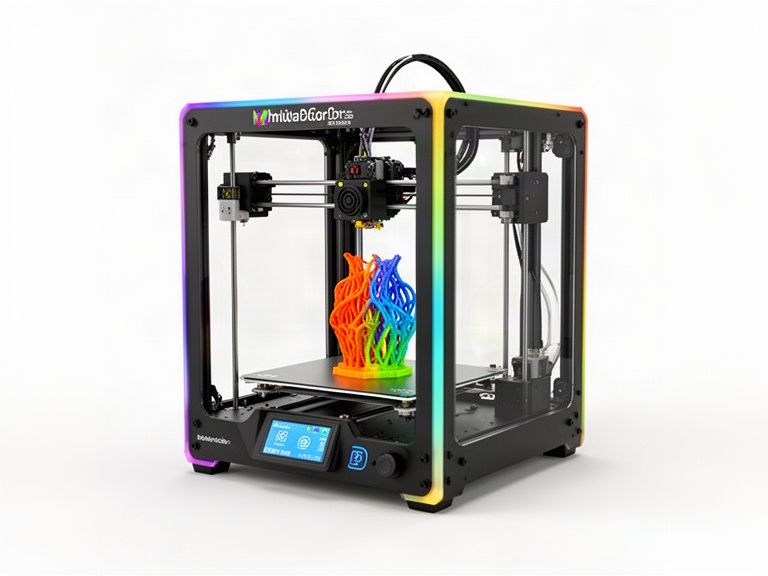 Best budget Flashforge AD5X Multicolor 3D Printer
Small multicolor projects on a tight budget
8.2 Buy Now on Amazon
AI picture
- Build volume10.1 x 10.1 x 10.1 in (256 mm cube)
- ColorsUp to 4 (AMS lite)
- DesignOpen-frame bed slinger
#1Best overall9.2/10
Bambu Lab A1 Combo with AMS lite
Bambu Lab · Model A1 Combo
The full-size A1 bundled with the four-spool AMS lite, combining easy setup with simple multicolor printing.
Good for: Most people starting with multicolor printing
- Easiest multicolor setup thanks to automatic calibration
- AMS lite reads Bambu Lab spool tags automatically
- Large 10.1-inch build volume
- Polished slicer with strong multicolor tools
- Open AMS lite does not protect filament from humidity
- Open frame suits PLA and PETG rather than ABS
- Purge waste on color-heavy prints
Bambu Lab's A1 Combo pairs the self-calibrating A1 with the AMS lite, a four-spool filament changer that sits beside the printer. It is the most approachable way into multicolor printing: the slicer makes painting colors onto a model easy, and Bambu's own spools are recognized automatically.
The 10.1-inch build volume leaves room for signs, figurines and multi-part plates, and the slicer's options for flushing purged filament into infill help cut waste.
The AMS lite is open to the air, so keep moisture-sensitive filaments in a dry box and stick mainly to PLA and PETG. If you want enclosed printing or tougher materials, the P2S Combo is the step up.
The short version: The easiest, most complete way to start printing in multiple colors.
AI picture- Build volume10.1 x 10.1 x 10.1 in (256 mm cube)
- Colors4 per AMS unit, expandable
- DesignEnclosed CoreXY
#2Best enclosed9.0/10
Bambu Lab P2S Combo with AMS
Bambu Lab · Model P2S Combo
The enclosed P2S bundled with a Bambu Lab AMS unit for multicolor and multi-material printing.
Good for: Multicolor printing with tougher materials
- Enclosed printer handles ABS and ASA
- Enclosed AMS keeps filament drier than open systems
- Expandable with additional AMS units
- Polished Bambu Lab software
- Costs considerably more than open-frame combos
- AMS takes up space on or beside the printer
- Purge waste on color-heavy prints
The P2S Combo pairs Bambu Lab's latest enclosed printer, the late-2025 successor to the P1S, with an AMS filament system. The enclosed AMS protects spools better than the open AMS lite, and the printer itself can handle ABS and ASA as well as PLA and PETG.
That combination suits makers who want multicolor prints in tougher materials, or multi-material tricks such as using a different material for support interfaces. You can add further AMS units if four colors are not enough.
It is a bigger investment than the A1 Combo, and color-heavy prints still create purge waste and take longer. For enclosed multicolor printing with polished software, it is the most complete option here.
The short version: The best enclosed multicolor combo for mixed materials and tougher filaments.
AI picture- Build volume13.8 x 13.8 x 13.8 in (350 mm cube)
- Colors4 per CFS unit, up to 16
- DesignEnclosed CoreXY
#3Best for many colors8.8/10
Creality K2 Plus Combo with CFS
Creality · Model K2 Plus Combo
A large enclosed CoreXY printer with Creality Filament System units that can expand to 16 colors.
Good for: Large multicolor prints and complex color models
- Very large build volume for multicolor props and signs
- Expandable to 16 colors with additional units
- Enclosed printer handles ABS and ASA
- CFS reads compatible spool tags
- Large, heavy and premium-priced
- Software less refined than Bambu Lab's
- More colors means more purge waste and time
Creality's K2 Plus Combo is built for big, colorful projects. The enclosed printer offers a 350 mm build cube, about 13.8 inches per side, and comes with a Creality Filament System unit that holds four spools. Link up to four units and you can print with as many as 16 colors.
That combination suits large signs, cosplay pieces and detailed multicolor models that would need splitting on smaller printers. The enclosure also lets you print ABS and ASA.
It is a large, heavy and premium-priced machine, and Creality's software is still catching up with Bambu Lab's ease of use. Remember that more colors also means more filament purged and longer print times.
The short version: The best choice for large multicolor projects and models with many colors.
AI picture- Build volume9.8 x 9.8 x 10.2 in (250 x 250 x 260 mm)
- ColorsUp to 4, or 8 with a second ACE Pro
- DesignOpen-frame bed slinger
#4Best value8.5/10
Anycubic Kobra 3 Combo with ACE Pro
Anycubic · Model Kobra 3 Combo
An open-frame printer bundled with the ACE Pro, a four-spool filament hub that also dries filament.
Good for: Budget-conscious makers who want filament drying built in
- ACE Pro can dry filament while it feeds the printer
- Expandable to eight colors
- Generous build volume
- Budget-friendly for a multicolor combo
- Open frame limits materials to PLA, PETG and similar
- Bed slinger needs front-to-back clearance
- Software is less polished than Bambu Lab's
Anycubic's Kobra 3 Combo is one of the most budget-friendly ways to print in four colors on a full-size printer. Its ACE Pro hub holds four spools and, unusually, can also dry filament, a useful extra since damp filament is a common cause of failed color changes. Add a second ACE Pro and you can print with up to eight colors.
The printer offers a build area of about 9.8 by 9.8 by 10.2 inches, enough for most multicolor signs, figurines and plates of small parts.
As an open-frame bed slinger, it needs space front to back and is best with PLA and PETG. Anycubic's slicer and app are capable, but they are less refined than Bambu Lab's.
The short version: A budget-friendly multicolor combo with handy built-in filament drying.
AI picture- Build volume8.7 x 8.7 x 8.7 in (220 mm cube)
- ColorsUp to 4 (IFS)
- DesignOpen-frame CoreXY
#5Best budget8.2/10
Flashforge AD5X Multicolor 3D Printer
Flashforge · Model AD5X
A compact CoreXY printer with a built-in four-color filament system.
Good for: Small multicolor projects on a tight budget
- Budget-friendly route to four-color printing
- Compact CoreXY design
- Filament system included
- Quick-change nozzle simplifies maintenance
- Smaller build volume than the other picks
- Open frame limits material choice
- Fewer expansion options
Flashforge's AD5X brings four-color printing to a compact CoreXY printer at a budget-friendly price. Its Intelligent Filament System handles up to four spools, and the CoreXY frame keeps it steady and quick while taking up little room.
The 8.7-inch build cube is smaller than the other picks, but it is plenty for keychains, small signs, figurines, toys and color-coded parts. The quick-change nozzle, shared with Flashforge's Adventurer 5M family, keeps maintenance simple.
It is an open-frame printer, so stick mainly to PLA and PETG, and it has fewer expansion options than the Bambu Lab and Creality systems. For an inexpensive way to explore multicolor printing, it is a sensible choice.
The short version: An affordable, compact way to try four-color printing.
Compare at a glance
| Pick | Build volume | Colors | Design | Score |
|---|---|---|---|---|
| #1 Bambu Lab A1 Combo with AMS lite | 10.1 x 10.1 x 10.1 in (256 mm cube) | Up to 4 (AMS lite) | Open-frame bed slinger | 9.2 |
| #2 Bambu Lab P2S Combo with AMS | 10.1 x 10.1 x 10.1 in (256 mm cube) | 4 per AMS unit, expandable | Enclosed CoreXY | 9.0 |
| #3 Creality K2 Plus Combo with CFS | 13.8 x 13.8 x 13.8 in (350 mm cube) | 4 per CFS unit, up to 16 | Enclosed CoreXY | 8.8 |
| #4 Anycubic Kobra 3 Combo with ACE Pro | 9.8 x 9.8 x 10.2 in (250 x 250 x 260 mm) | Up to 4, or 8 with a second ACE Pro | Open-frame bed slinger | 8.5 |
| #5 Flashforge AD5X Multicolor 3D Printer | 8.7 x 8.7 x 8.7 in (220 mm cube) | Up to 4 (IFS) | Open-frame CoreXY | 8.2 |
Specs come from manufacturer listings when we wrote this guide and can change between production runs.
Buying tips
How multicolor FDM printing works
Most consumer multicolor printers use a single nozzle fed by an automatic filament system. When the color changes, the printer retracts the current filament, loads the next one and pushes out a short length to clear the old color before continuing. Printers with multiple nozzles or tool changers avoid most of that purging, but they cost considerably more.
Waste and print time
Every color change wastes a small amount of filament and adds time. A print with a few color changes per layer is efficient; one that switches color constantly on every layer can waste a lot of plastic and take many hours longer. Ways to reduce waste include:
- Limiting color changes to a few layers, such as raised lettering on a sign.
- Printing several copies at once so each purge serves more parts.
- Using slicer options that flush purged color into infill or a sacrificial object.
How many colors do you need?
Four colors cover most signs, figurines and logos. Many systems can link extra units for 8 or 16 colors, which suits complex models, but each added unit adds cost and desk space. You can also combine materials, for example using a different material for support interfaces so supports peel away cleanly.
If you only occasionally need a second color, you may not need a filament system at all. Most slicers can pause at a chosen layer so you can swap filament by hand, which works well for raised text and logos. A multicolor combo earns its place when you print colorful models often or need colors on the same layer.
Open frame or enclosed?
Open-frame combos are budget-friendly and great for PLA. Enclosed combos keep temperatures steady and can print ABS and ASA, and they are better around children and pets. Check whether the filament system itself is sealed; open-air units are fine for PLA, but moisture-sensitive materials benefit from an enclosed, dried system.
Filament compatibility
Automatic filament systems can be fussy about spool size and material. Cardboard spools may shed dust or slip, unusually wide spools may not fit, and very flexible filaments such as TPU often need to bypass the system. Check the manufacturer's compatibility list, and consider a few refillable plastic spools.
Placement and safety
A combo takes more space than the printer alone, and some filament units sit beside the printer rather than on top. Leave room for the filament path and for the purge chute. Print in a ventilated room, keep the printer away from children and pets, and follow the manufacturer's instructions for unattended printing.
FAQ
QDoes multicolor 3D printing waste a lot of filament?
It can. Single-nozzle systems purge a small amount of filament at every color change. Designs with fewer changes per layer, printing several copies at once and flushing into infill all help reduce waste.
QCan I add a multicolor system to my existing printer?
Sometimes. Several brands sell their filament systems separately for compatible printers. Third-party add-ons exist for other printers, but they usually need more setup and tuning.
QCan multicolor printers mix materials?
Many can switch between compatible materials, such as using a different material for support interfaces. Materials with very different print temperatures do not combine well in one print.
QIs multicolor printing slower?
Yes. Each color change adds time for unloading, loading and purging. A print with many changes per layer can take several times longer than the same model in one color.
QDo I need special filament for multicolor printers?
No, but spool size, spool material and filament type matter. Check your filament system’s compatibility guidance, and keep filament dry for reliable loading.
How we picked
We compared manufacturer specifications for build volume, number of supported colors and expansion options, frame design, filament system features, compatible materials and spool requirements for multicolor printer combos widely available to US shoppers in 2025 and 2026. Our picks and scores are based on this research — we have not tested these products hands-on. Brands cannot pay to be included. Read our full method.
In the same aisle
More multicolor 3d printers to browse
A random pull from our product catalog, not ranked or reviewed.